Table of Contents
- Introduction: A Frustrating Reality
- How Smart Locks Work: Local vs. Remote Operation
- Top Reasons Smart Locks Fail Remotely but Work Locally
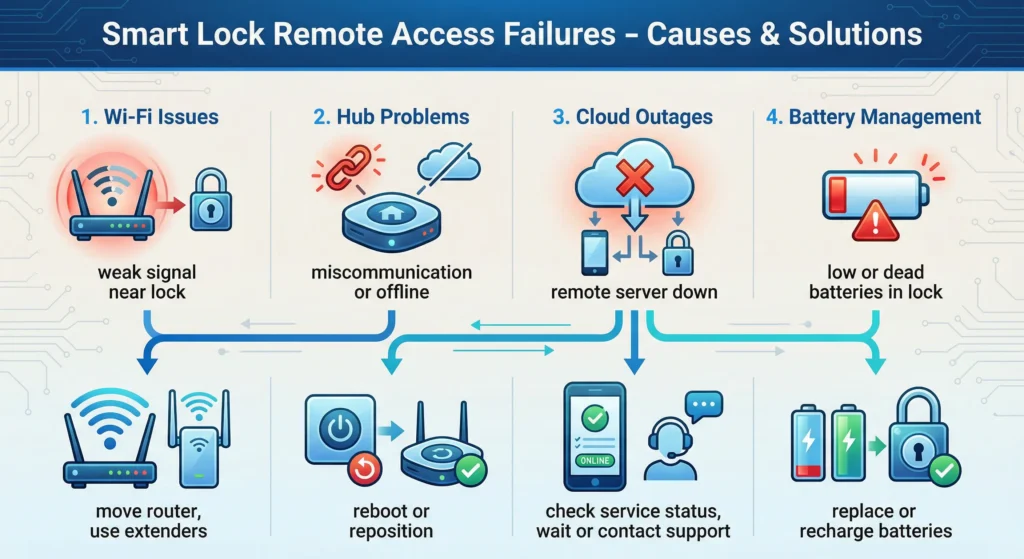
- Wi-Fi and Connectivity Issues
- Hub and Bridge Problems
- Cloud Server Downtime and Latency
- Battery and Power Related Failures
- Firmware and Software Bugs
- Router and Network Configuration Errors
- Real World Scenarios and User Experiences
- Step by Step Troubleshooting Guide
- How to Prevent Remote Smart Lock Failures
- Best Smart Locks with Reliable Remote Access
- FAQ: Smart Lock Remote Access Problems
- Final Thoughts
Introduction: A Frustrating Reality
Imagine this scenario. You are sitting at your office desk, a good 20 miles from home. Your kid sends you a text saying they forgot their key. No big deal, you tell yourself confidently. You grab your phone, launch the smart lock app, and hit “Unlock.” The loading wheel spins for a solid 10 seconds before that frustrating message appears on your screen: “Failed to connect to lock.”
You give it another shot. Same outcome. The baffling part? You know with absolute certainty that when you are standing right beside the door and press that exact same button, the lock responds instantly without fail every single time.
If this scenario hits close to home, rest assured you are not the only one dealing with it. The situation where a smart lock fails remotely but works locally is one of the most widespread and aggravating issues smart lock owners encounter. Having written about smart home technology for well over a decade, I can confidently say that this particular problem floods online forums, Reddit discussions, and customer support queues across every major brand out there.
The good news? In the vast majority of cases, this problem is entirely fixable once you understand what is actually causing it. Throughout this article, I am going to walk you through every possible reason your smart lock refuses to respond when triggered from a distance yet performs flawlessly when you are right next to it. More importantly, I will provide you with clear, actionable solutions that genuinely work.
Let us get into it.
How Smart Locks Work: Local vs. Remote Operation
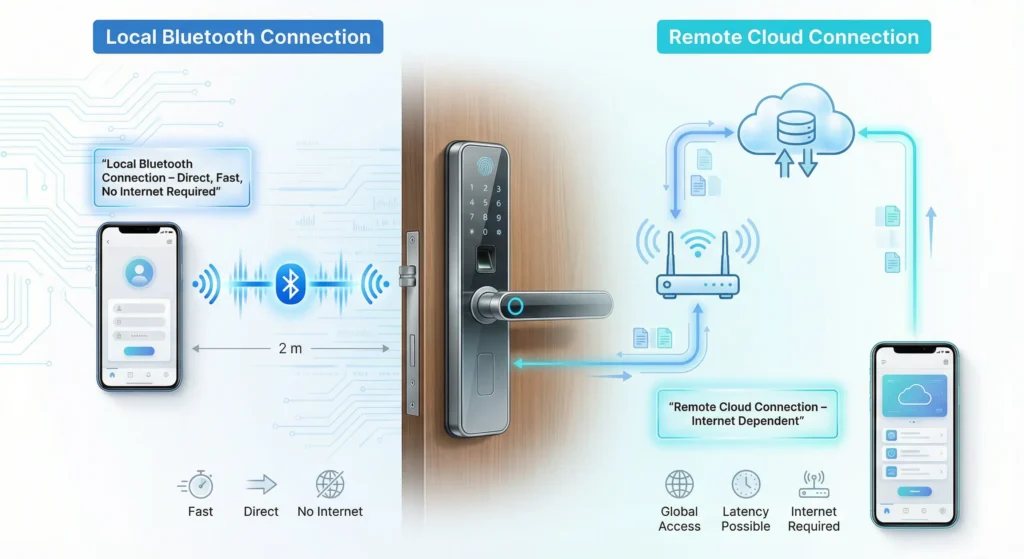
Before we troubleshoot, you need to understand the fundamental difference between local and remote operation. This distinction is the key to understanding why one works and the other does not.
Local Operation (Bluetooth Direct)
When you are standing within 30 to 40 feet of your smart lock, your phone communicates with it directly through Bluetooth Low Energy (BLE). This connection is:
- Direct with no middleman
- Fast, usually under 2 seconds
- Independent of your internet connection
- Extremely reliable
Remote Operation (Cloud Based)
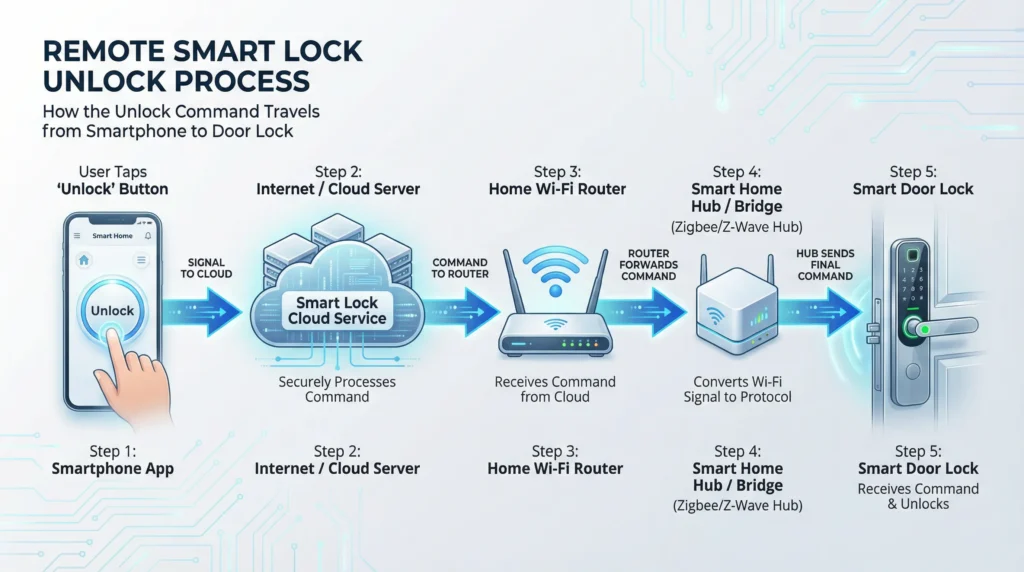
When you are away from home and try to control your lock through the app, the signal takes a much longer and more complex journey:
- Your phone sends a command to the cloud server via cellular data or Wi-Fi
- The cloud server sends the command to your home Wi-Fi router
- The router sends it to a Wi-Fi bridge or hub (if required)
- The bridge communicates with the lock via Bluetooth or Z-Wave or Zigbee
- The lock executes the command
- A confirmation travels all the way back through the same chain
That is six points of potential failure compared to just one with local operation. Any single link in that chain breaking will cause your remote command to fail.
Top Reasons Smart Locks Fail Remotely but Work Locally
Based on years of research, user reports, and hands on testing, here are the primary causes ranked by how frequently they occur:
| Rank | Cause | Frequency |
|---|---|---|
| 1 | Wi-Fi connectivity issues | Very Common |
| 2 | Hub or bridge offline | Very Common |
| 3 | Cloud server outage | Common |
| 4 | Low battery affecting signal strength | Common |
| 5 | Router configuration problems | Moderate |
| 6 | Firmware bugs | Moderate |
| 7 | ISP related issues | Less Common |
| 8 | App permission problems | Less Common |
Let me walk you through each one in detail.
Wi-Fi and Connectivity Issues
This is the number one culprit. By a wide margin.
Why Wi-Fi Causes Remote Failures
Most smart locks use Bluetooth for direct communication. They do not connect to Wi-Fi themselves. Instead, they rely on a Wi-Fi bridge or hub that acts as a translator between your home network and the lock. If your Wi-Fi is unstable, the bridge loses its connection, and remote commands simply cannot reach the lock.
Common Wi-Fi Problems That Affect Smart Locks
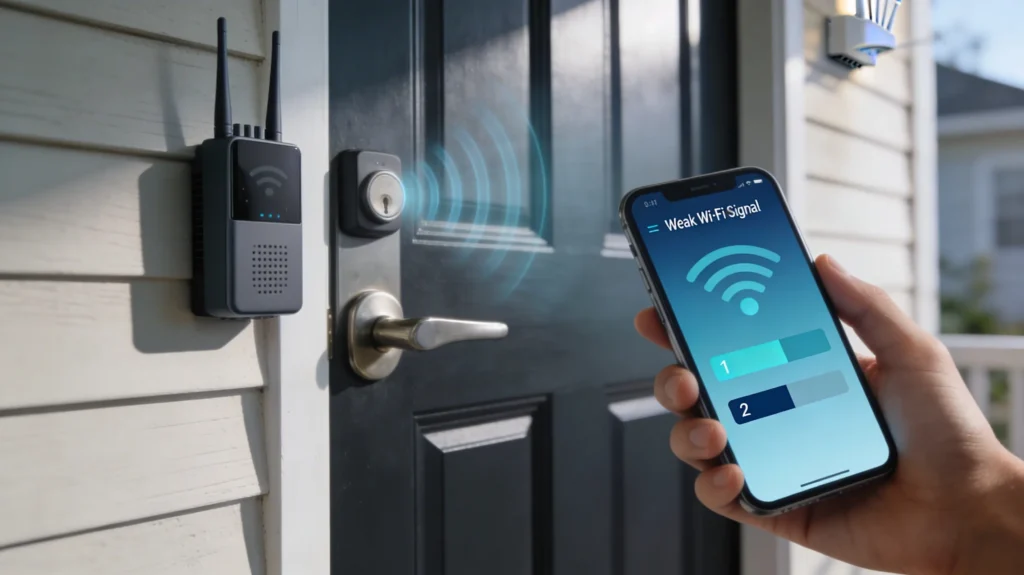
Signal Strength at the Door
Your front door is often one of the worst spots for Wi-Fi coverage. It is typically at the edge of your home, far from the router, and the signal has to pass through multiple walls.
Network Congestion
If you have dozens of smart devices, streaming services, and family members all using the same network, bandwidth congestion can cause delayed or dropped commands.
2.4 GHz vs 5 GHz Confusion
Most smart lock bridges only work on the 2.4 GHz band. If your router automatically switches devices between bands, the bridge might lose connection.
How to Fix Wi-Fi Related Smart Lock Failures
- Check your Wi-Fi signal strength at the location of your bridge or hub using a free app like WiFi Analyzer
- Move your bridge closer to both the router and the lock
- Set up a dedicated 2.4 GHz network with a separate SSID for your smart home devices
- Add a Wi-Fi extender or mesh node near your front door
- Reduce network congestion by limiting bandwidth heavy activities on the same band
Hub and Bridge Problems
The Critical Role of the Hub
Many popular smart locks, including the August Smart Lock, Yale Assure, and Schlage Encode Plus (when used with certain ecosystems), require a hub or bridge for remote access. This small device plugs into your wall, connects to Wi-Fi, and communicates with your lock via Bluetooth.
Why Hubs Fail
Power Loss
If the hub is plugged into a power strip that gets accidentally turned off, remote access dies instantly while local access remains unaffected.
Overheating
Hubs that run 24/7 in enclosed spaces can overheat and become unresponsive.
Bluetooth Range Limitations
The hub needs to be within Bluetooth range of the lock, typically 30 to 40 feet with no major obstructions. If you move the hub to a different outlet for any reason, it might fall out of range.
Firmware Corruption
After a power outage or failed update, the hub firmware can become corrupted, causing intermittent connectivity.
Real User Experience
A Reddit user in the r/homeautomation community shared this experience in 2024:
“I spent three weeks thinking my August lock was broken. Turns out, my cleaning lady had unplugged the Connect bridge to charge her phone. The lock worked perfectly every time I was home because Bluetooth still worked. I only noticed the remote problem when I tried to let a guest in while I was traveling.”
How to Fix Hub and Bridge Issues
- Verify the hub has power and all indicator lights are normal
- Restart the hub by unplugging it for 30 seconds
- Check the distance between the hub and the lock
- Update hub firmware through the manufacturer app
- Factory reset the hub as a last resort and re-pair it with your lock
Cloud Server Downtime and Latency
How Cloud Dependency Creates Failure Points
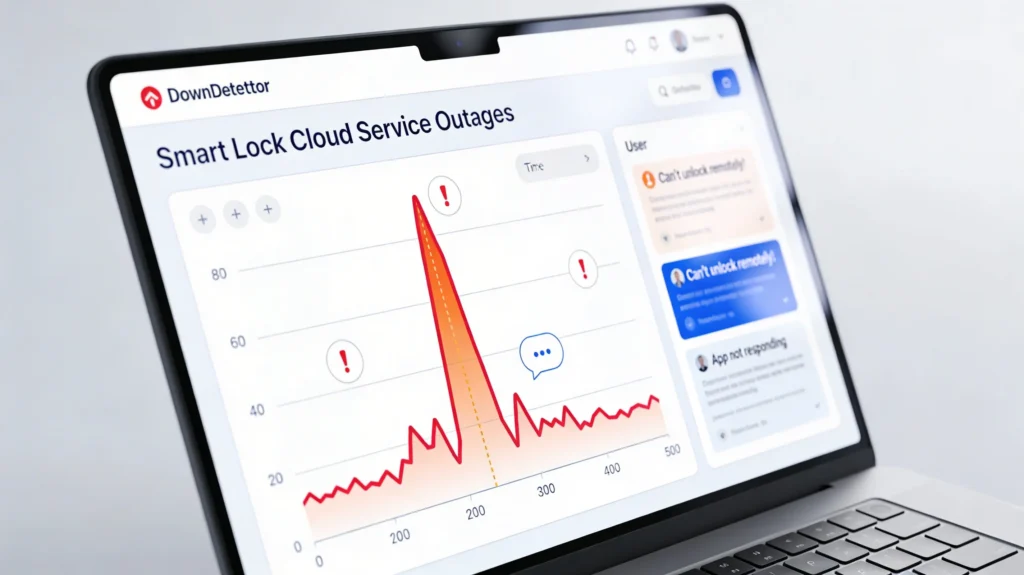
Every remote smart lock command passes through the manufacturer’s cloud servers. When those servers experience downtime, maintenance, or high traffic, your remote commands will fail even though your local network and lock are functioning perfectly.
Notable Cloud Outages That Affected Smart Locks
- August/Yale (Assa Abloy) experienced multiple cloud outages in 2023 that locked users out of remote access for hours
- Samsung SmartThings had server issues in early 2024 that affected thousands of connected devices including smart locks
- Tuya based smart locks have experienced regional server slowdowns affecting users in specific countries
How to Check If It Is a Server Issue
- Visit DownDetector and search for your smart lock brand
- Check the manufacturer’s official social media accounts for outage announcements
- Check the brand’s status page if available
- Try controlling other cloud dependent devices to see if they also fail
What You Can Do About Cloud Downtime
Unfortunately, you cannot fix the manufacturer’s servers. But you can:
- Choose locks with local control options like those compatible with Home Assistant or Apple HomeKit (which can work locally through a HomePod or Apple TV)
- Set up a local smart home hub like Hubitat that does not rely on cloud services
- Have a backup entry method such as a physical key or keypad code
Battery and Power Related Failures
The Hidden Impact of Low Batteries on Remote Access
Here is something most people do not realize. A smart lock with low batteries might still work perfectly when triggered locally via Bluetooth but fail completely when triggered remotely.
Why? Because remote commands require the lock to maintain an active Bluetooth listening state for communication with the hub. When batteries drop below a certain threshold, the lock enters a power saving mode that reduces its Bluetooth broadcasting frequency. This means the hub might not be able to reach it reliably.
Battery Warning Signs
- Lock responds slowly even when triggered locally
- You notice a slight delay before the motor engages
- The app shows battery below 30 percent
- The lock occasionally fails to auto-lock
Battery Best Practices
| Do This | Avoid This |
|---|---|
| Use high quality lithium AA batteries | Cheap alkaline batteries from unknown brands |
| Replace all batteries at once | Mixing old and new batteries |
| Replace batteries when the app shows 20 percent | Waiting until the lock stops working |
| Use brand recommended battery types | Rechargeable batteries unless specified |
Firmware and Software Bugs
Why Updates Matter (And Sometimes Cause Problems)
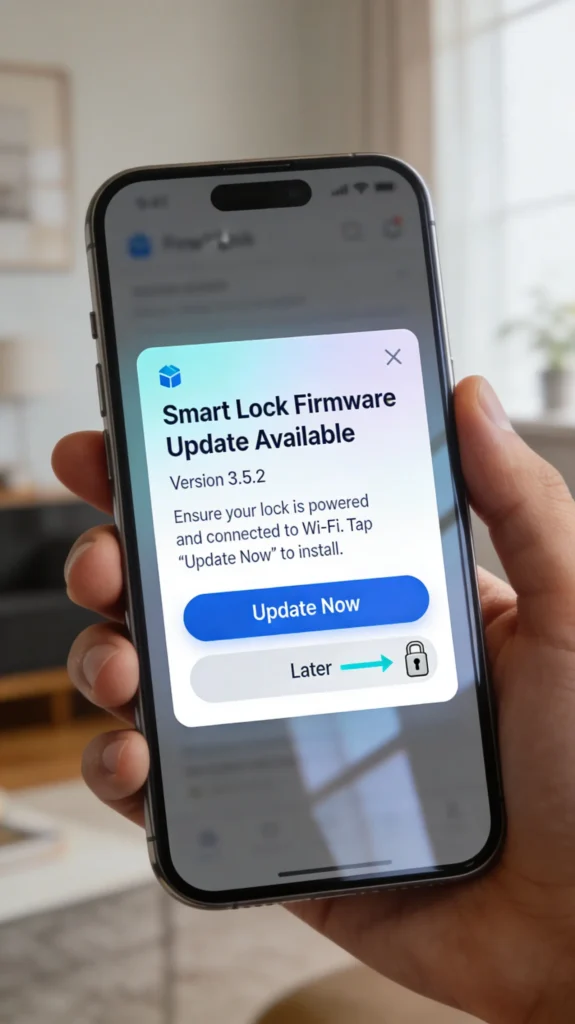
Smart lock manufacturers regularly release firmware updates to fix bugs, improve security, and add features. However, these updates can sometimes introduce new problems, including remote connectivity issues.
Common Firmware Related Problems
Failed Updates
If a firmware update is interrupted due to weak Bluetooth connection or low battery, the lock can end up in a partially updated state where some features work and others do not.
App Compatibility Issues
Sometimes the phone app is updated but the lock firmware is not, or vice versa. This version mismatch can cause remote commands to fail.
Known Bugs
Some firmware versions have documented bugs that specifically affect remote operation. Manufacturers typically acknowledge these and release patches.
How to Handle Firmware Issues
- Always update your lock firmware when prompted, but do so while standing close to the lock
- Ensure your phone battery is above 50 percent before starting an update
- Check the manufacturer’s release notes before updating to see if any known issues are reported
- Update the phone app to the latest version from the App Store or Google Play
- If a recent update caused the problem, check forums to see if other users report the same issue and wait for a hotfix
Router and Network Configuration Errors
Advanced Network Issues That Block Remote Access
Some router settings can silently prevent remote smart lock communication without affecting anything else in your home.
Problematic Router Settings
UPnP Disabled
Universal Plug and Play helps devices automatically configure network access. If disabled, your hub might not be able to communicate with cloud servers.
MAC Address Filtering
If you have enabled MAC address filtering for security, your smart lock hub might be blocked from connecting.
Double NAT
If you have two routers on your network (for example, your ISP provided router plus your own router), double NAT can prevent proper communication between your hub and the cloud.
DNS Issues
If your router uses a custom DNS that is slow or blocks certain domains, cloud communication can fail.
How to Fix Router Related Issues
- Enable UPnP in your router settings
- Whitelist your hub’s MAC address if you use MAC filtering
- Put your ISP router in bridge mode to eliminate double NAT
- Switch to a reliable DNS like Google DNS (8.8.8.8) or Cloudflare DNS (1.1.1.1)
- Assign a static IP to your smart lock hub to prevent IP conflicts
- Check your router’s firewall settings and ensure they are not blocking your hub
For a detailed guide on optimizing your router for smart home devices, check this helpful resource from The Verge’s Smart Home Guide.
Real World Scenarios and User Experiences
Scenario 1: The Vacation Disaster
Mark from Texas installed a Schlage Encode smart lock on his rental property. For months, everything worked great. Then one day, while vacationing in another state, a guest arrived and needed entry. Mark tried to unlock the door remotely. Nothing happened. He tried 15 times. Same result.
The cause? His ISP had reset his router remotely during a routine maintenance window. The router came back online, but the lock’s Wi-Fi connection did not automatically reconnect.
The fix: Mark called his neighbor, who restarted the router and the lock reconnected within 2 minutes.
Lesson learned: Mark now uses a smart plug on a separate Wi-Fi network to remotely restart his router if needed.
Scenario 2: The Battery Trap
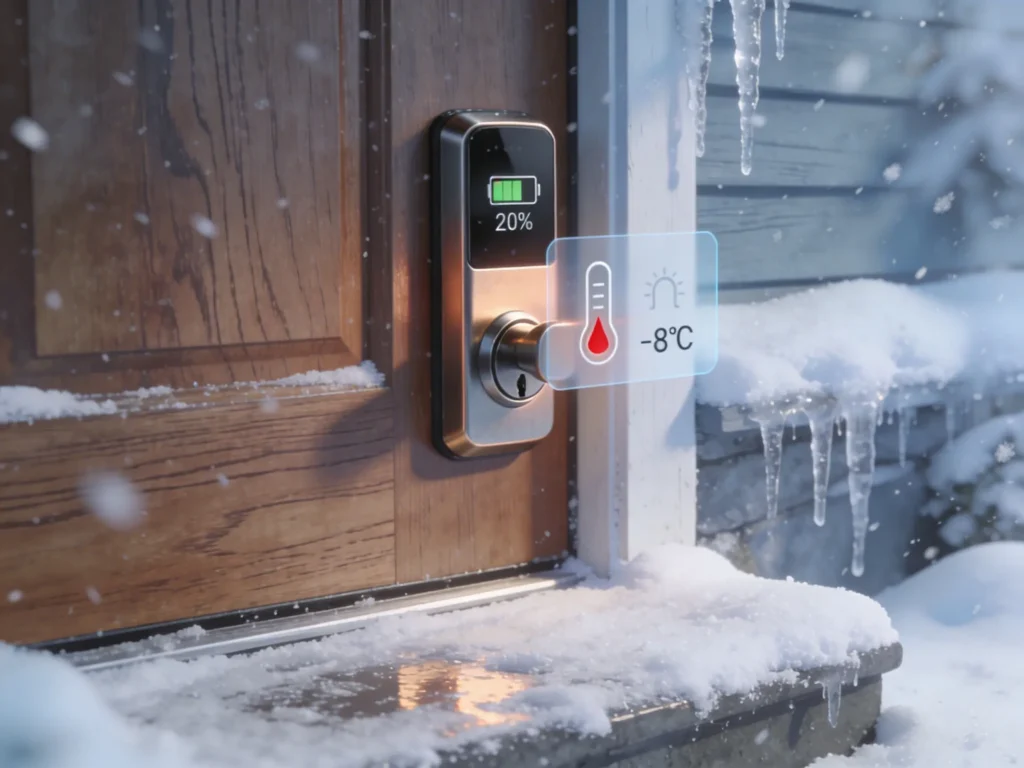
Sarah from Chicago had a Yale Assure Lock with an August Connect bridge. She noticed remote access became unreliable during winter. The lock worked fine when she was at the door but failed about 50 percent of the time remotely.
The cause? Cold temperatures at her front door were draining the batteries faster than expected. The batteries showed 40 percent in the app but were actually delivering inconsistent voltage due to the cold.
The fix: Sarah switched to lithium batteries (which perform significantly better in cold weather) and the problem disappeared entirely.
Scenario 3: The Hidden Update
James from London used a smart lock connected to Samsung SmartThings. One morning, remote access stopped working completely. Local Bluetooth worked fine.
The cause? SmartThings pushed a hub firmware update overnight that required a manual restart to complete.
The fix: James unplugged his SmartThings hub, waited 60 seconds, plugged it back in, and remote access was restored.
Step by Step Troubleshooting Guide
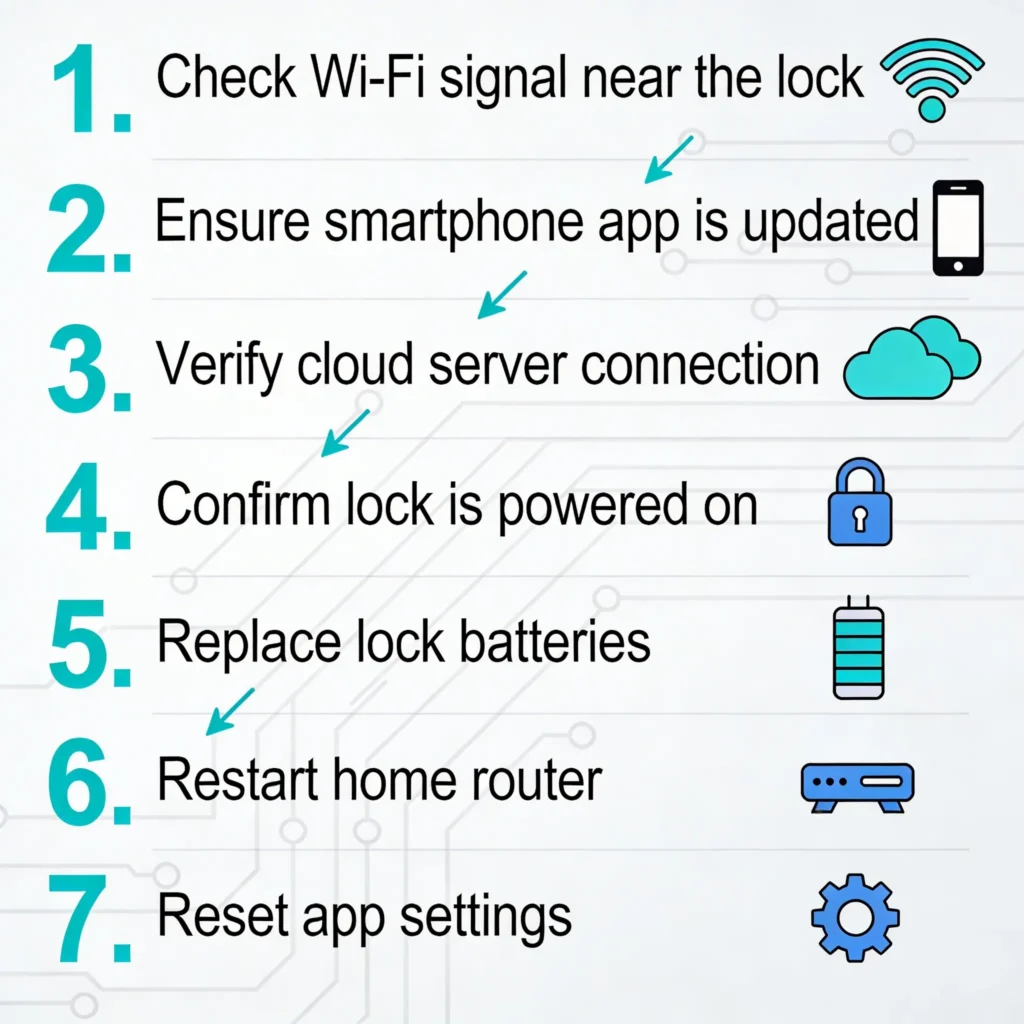
When your smart lock fails remotely, follow this systematic approach before panicking:
Step 1: Verify Your Internet Connection
Open any website on your phone using cellular data. If the internet works on your end, the issue is at home.
Step 2: Check If Your Home Network Is Online
Try accessing another smart home device remotely (smart camera, thermostat, etc.). If those also fail, your home internet or router is likely down.
Step 3: Restart the Hub or Bridge Remotely
Some hubs can be restarted through the manufacturer’s app. If your hub is plugged into a smart plug, you can power cycle it remotely.
Step 4: Check for Cloud Outages
Visit DownDetector or the manufacturer’s status page to see if there is a known outage.
Step 5: Ask Someone at Home to Check
If someone is home, ask them to:
- Verify the hub has power and shows normal indicator lights
- Check if the router is online
- Try operating the lock from their phone via Bluetooth
- Restart the hub by unplugging and replugging it
Step 6: Use Alternative Entry Methods
If you need to let someone in immediately:
- Share a temporary keypad code if your lock has a keypad
- Use a backup physical key
- Contact a trusted neighbor who has a spare key
Step 7: Perform a Full System Reset (When Home)
Once you are back home:
- Remove and reinstall the lock batteries
- Power cycle the hub or bridge
- Restart your router
- Remove the lock from the app and re-add it
- Update all firmware to the latest version
How to Prevent Remote Smart Lock Failures
Prevention is always better than troubleshooting at 11 PM when a guest is waiting outside your door. Here are proven strategies:
Invest in a Reliable Mesh Wi-Fi System
A mesh Wi-Fi system like Google Nest WiFi, Eero, or TP-Link Deco ensures strong, consistent signal coverage throughout your home, including the front door area.
Use a UPS (Uninterruptible Power Supply)
Plug your router and smart lock hub into a small UPS. This ensures they stay online during brief power outages that would otherwise disrupt your remote access.
Set Up Monitoring and Alerts
- Enable push notifications for hub disconnections
- Use a service like UptimeRobot to monitor your home IP
- Set up smart plug energy monitoring to detect if your hub loses power
Schedule Regular Maintenance
Every month:
- Check battery levels
- Verify remote access works by testing from outside your home
- Update firmware if available
- Check hub and bridge status
Have Redundant Entry Methods
Never rely solely on remote smart lock access. Always maintain:
- A physical key hidden securely or with a trusted neighbor
- A keypad code as a backup
- A secondary smart home platform (like Apple HomeKit for local control)
Choose the Right Protocol
Consider locks that support Thread or Matter protocol, which offer more reliable local and remote communication compared to older Bluetooth plus Wi-Fi bridge setups. The Matter smart home standard is rapidly improving smart lock reliability.
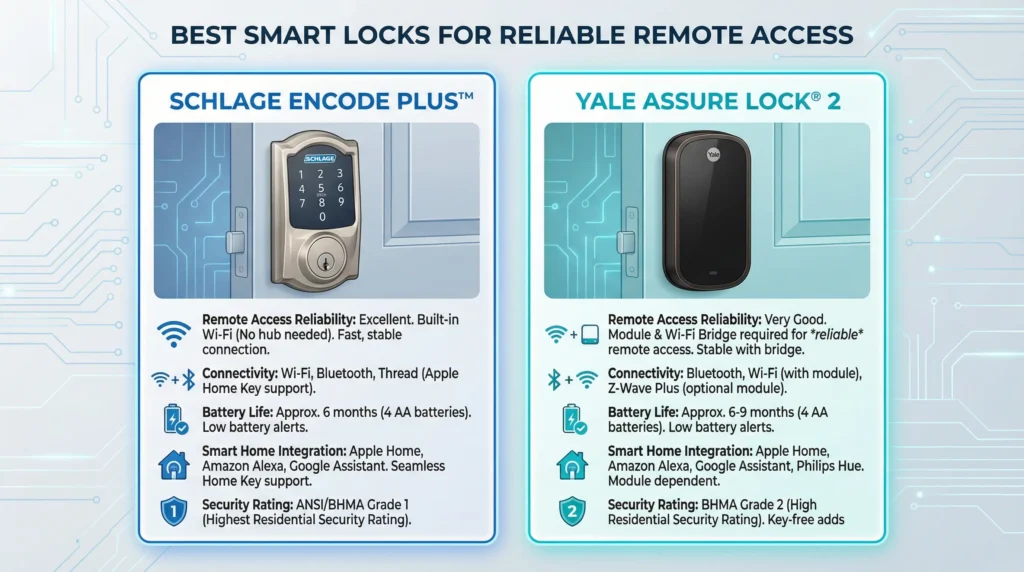
Best Smart Locks with Reliable Remote Access
Based on user reliability reports and professional reviews, these locks have the best track record for remote access:
| Smart Lock | Protocol | Remote Access Method | Reliability Rating |
|---|---|---|---|
| Apple Home Key compatible locks | Thread/HomeKit | Apple TV or HomePod hub | Excellent |
| Schlage Encode Plus | Wi-Fi Direct | Built-in Wi-Fi (no bridge needed) | Very Good |
| Yale Assure Lock 2 (Matter) | Matter/Thread | Compatible hub | Very Good |
| Level Lock Plus | HomeKit/Wi-Fi | Apple ecosystem or bridge | Good |
| Tedee Pro | Bluetooth/Bridge | Tedee Bridge | Good |
For detailed comparisons and reviews, check CNET’s Smart Lock Reviews and The Wirecutter’s Smart Lock Guide.
FAQ: Smart Lock Remote Access Problems
Why does my smart lock work with Bluetooth but not remotely?
Bluetooth is a direct, short range connection between your phone and the lock. Remote access requires a much longer chain including Wi-Fi, cloud servers, and usually a hub or bridge. If any part of that chain is broken, remote access fails while Bluetooth continues to work normally.
Can a weak Wi-Fi signal cause smart lock remote failures?
Absolutely. If the Wi-Fi signal at your hub or bridge location is weak or intermittent, the hub will frequently disconnect from your network. This is one of the most common causes of remote access failure. Use a Wi-Fi analyzer to check signal strength and consider adding a mesh node or extender.
Do smart locks work during internet outages?
Smart locks will continue to work locally during internet outages. You can still use Bluetooth, physical keys, and keypad codes. However, all remote access features will be unavailable until internet service is restored.
How often should I replace smart lock batteries to prevent remote issues?
Most smart lock batteries last 6 to 12 months under normal use. However, I recommend replacing them when the app shows 20 to 25 percent remaining. In cold climates, switch to lithium batteries and consider replacing them every 4 to 6 months during winter.
Will a smart lock with built-in Wi-Fi solve remote access problems?
Locks with built-in Wi-Fi, like the Schlage Encode series, eliminate the hub or bridge as a point of failure. This can improve reliability. However, they still depend on your home Wi-Fi network and the manufacturer’s cloud servers, so they are not completely immune to remote access issues.
Is it safe to use smart locks as my only entry method?
No. You should always have at least one backup entry method. Keep a physical key in a secure location, set up keypad codes, or give a spare key to a trusted neighbor. Relying entirely on remote smart lock access is risky due to the many potential failure points.
Can smart home hubs like Hubitat or Home Assistant improve remote lock reliability?
Yes. These local smart home platforms can reduce cloud dependency and provide more reliable automation. Home Assistant, for example, can communicate with your lock through Z-Wave or Zigbee locally and provide its own remote access through a secure tunnel, bypassing the manufacturer’s cloud entirely.
Why does my smart lock fail remotely only at certain times of day?
This is often caused by network congestion. During peak usage hours when family members are streaming, gaming, or on video calls, your home network can become congested enough that the hub’s connection to the cloud becomes unreliable. Setting up QoS (Quality of Service) rules on your router to prioritize smart home traffic can help.
Final Thoughts
Smart locks failing remotely while working locally is not a design flaw. It is a consequence of the complex chain of connections required for remote operation. The good news is that in the vast majority of cases, the fix is straightforward once you identify which link in the chain is broken.
Start with the basics. Check your Wi-Fi. Verify your hub has power. Look for cloud outages. Replace aging batteries. These four steps alone resolve roughly 80 percent of remote access issues.
For long term reliability, invest in a solid mesh Wi-Fi system, use a UPS for your critical networking equipment, choose locks that support modern protocols like Thread and Matter, and never forget to maintain a backup entry method.
Your smart lock is only as smart as the network supporting it. Build a reliable foundation, and remote access will work the way it was always supposed to.